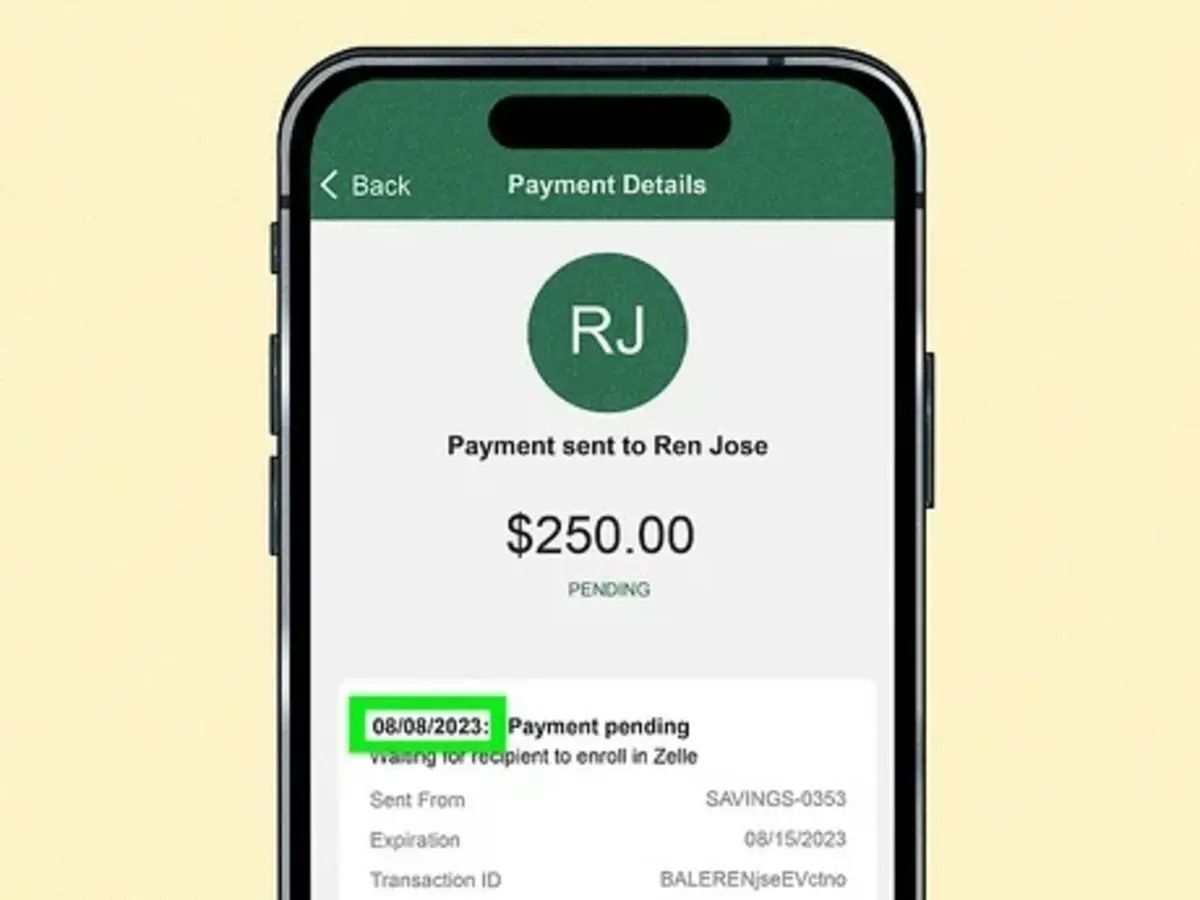
You hit "Send" on that $400 Zelle payment for rent or a Facebook Marketplace find, and you expect that little dopamine hit of a "Completed" notification. Instead, you get a vague, slightly ominous message: pending review. Suddenly, your money is in a digital limbo. It’s not in your account, and it’s definitely not in theirs.
How long is this going to take?
Honestly, if you're looking for a single, hard number, you won't find one. But there's a rhythm to it. For most, the "review" lasts anywhere from 2 hours to 3 business days. It's annoying, but it's rarely a permanent problem.
Why Zelle Hits the Pause Button
Zelle is built on the idea of "instant" transfers. Because of that speed, it’s a massive target for scammers. When a payment moves into "pending review," it’s usually because your bank—not necessarily Zelle itself—has flagged something as "off."
Think of it like an airport security line. Most people breeze through the pre-check, but occasionally, the machine beeps, and someone has to manually check your bag.
Common Tripwires
- The "New Contact" Tax: If you’ve never sent money to this person before, especially a large amount, the system might blink. It’s making sure you didn't just get your phone snatched at a bar.
- The Weekend Lag: Even though Zelle works 24/7, the human teams at banks like Chase, Bank of America, or Wells Fargo don't always work at full capacity on Sundays. A payment sent Saturday night might stay "pending review" until Monday morning.
- The Fraud Flag: If you’re suddenly sending $1,000 to someone in a different state when you usually only Zelle your roommate $20 for pizza, the algorithm gets suspicious.
- Recipient Enrollment: This is the most common "fake" review. If the person you're paying hasn't actually finished setting up Zelle, the money just sits there. It looks like a review, but it's really just waiting for them to click a link in a text message.
Zelle Pending Review: How Long Is the Actual Wait?
Most people see movement within 24 hours.
I’ve seen Reddit threads where users at Bank of America report the review clearing in exactly two hours after an automated "Was this you?" text. If you get that text or an email from your bank, answer it immediately. That is usually the only thing holding up the dam.
If it stretches past the 48-hour mark, you're likely dealing with a manual compliance check. This happens more often with business accounts or transfers that push right up against your daily limit. According to First National Bank Alaska and several other major institutions, if a recipient isn't enrolled, they actually have 14 days to claim the money before it bounces back to you. But a "security review" is different—that’s the bank holding the funds for verification, and that rarely lasts more than 3 business days.
Can You Cancel a Payment Under Review?
Here is the frustrating part: Usually, no.
If the status is "Pending Review" because of a security hold, the "Cancel" button often vanishes. The bank has essentially locked the funds in a vault while they decide if the transaction is legitimate. You can't just reach in and pull it back.
However, if the payment is pending simply because the recipient hasn't enrolled, you can usually go to your activity feed, tap the payment, and hit "Cancel." If that button isn't there, you’re stuck waiting for the bank to finish its investigation.
What about "Failed" vs "Pending"?
Don't confuse the two.
- Pending: The money is reserved and the bank is thinking about it.
- Failed: The bank said no. Usually, this is due to insufficient funds or a high-risk flag on the recipient's account.
Real-World Advice: How to Speed This Up
You don't have to just sit on your hands.
First, check your messages. Banks like Chase and Wells Fargo often send a push notification or a text asking for a "Yes" or "No" to verify the charge. If you ignore this, the payment will sit in "pending review" until the timer runs out and it fails.
Second, if it's been more than 24 hours, call your bank's fraud department. Don't call Zelle—they don't actually hold your money; your bank does. Tell the representative the specific amount and the time you sent it. Often, they just need you to verbally confirm that you haven't been scammed. Once you do that, they can "release" the hold, and the money usually hits the other account within minutes.
Important Limits to Keep in Mind
Every bank has its own rules. For example, USAA might let you send $1,000 a day, while a smaller credit union might cap you at $500. If you try to send multiple payments that add up to your limit in a short window, you’re almost guaranteed to hit a "pending review" status.
- Daily Limits: Usually $500 - $2,500.
- Monthly Limits: Often around $10,000 - $20,000.
- Rolling 24-Hour Windows: Banks don't always reset at midnight; they often use a rolling 24-hour clock.
Actionable Steps for Your "Pending" Payment
- Check the Recipient's Status: Ask them to look for a text or email from Zelle. If they aren't enrolled, the "review" is actually on their end.
- Verify the Details: Make sure you didn't fat-finger the phone number. If you sent it to the wrong person and it's "pending review," this is your lucky break—call the bank now to stop it.
- Wait 24 Hours: If it’s a weekend or a holiday, give it one full business day before panicking.
- Call the Bank: If the money is still in limbo after 24 business hours, call the customer service number on the back of your debit card and ask for the "Funds Transfer" or "Fraud" department.
- Use Small Test Amounts: Next time you pay someone new, send $1 first. Once that clears instantly, send the rest. This bypasses the "new contact" flag for the larger amount.
Zelle is a great tool, but it's a "push" system. Once the bank clears that review, the money is gone. Make sure you trust the person on the other side, because once that status changes from "Pending" to "Completed," there is no turning back.