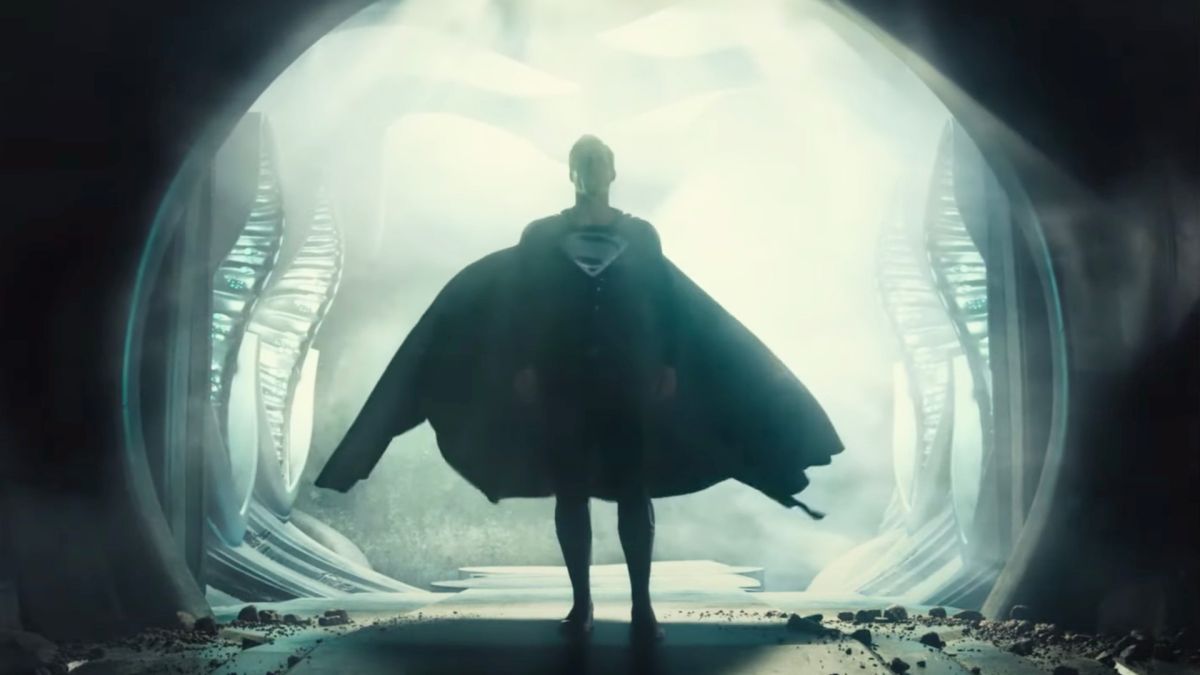
Look, let's be real about something right out of the gate. When you first pop in the Zack Snyder's Justice League 4K disc and see those massive black bars on the sides of your $2,000 OLED, your first instinct is probably to panic. You think you’ve messed up a setting. You haven't. Honestly, it’s the most common "complaint" I hear from people who aren't deep in the home theater weeds. They feel like they're being cheated out of screen real estate.
But here is the thing: you're actually seeing more image, not less.
Most blockbusters today are cropped. They’re shaved off at the top and bottom to fit that thin, wide "cinematic" look we’re used to. Snyder went the opposite way. He wanted that "big square" IMAX energy. By using a 1.33:1 aspect ratio, the 4K transfer gives you the full vertical height of the 35mm frame. It’s tall. It’s imposing. And once you get past the initial "wait, why is this a square?" shock, you realize it changes the entire scale of the characters. Superheroes are vertical icons. They fly up, they stand tall, and this format lets them breathe.
The Bitrate War: Disc vs. Streaming
We’ve all become a bit lazy with streaming. It’s easy. But if you’re watching the "Snyder Cut" on a standard 4K stream, you’re basically looking at a photocopied version of a masterpiece.
Streaming services compress the hell out of video to make it travel through your Wi-Fi. The Zack Snyder's Justice League 4K UHD Blu-ray is a beast because it spans two 100GB discs. Why two? Because the movie is four hours long. If they tried to cram that onto one disc, the quality would crater.
Why the physical disc wins:
- Bitrate Stability: While a stream might hover around 15–25 Mbps (and dip when your neighbor starts gaming), the 4K disc pushes an average of 60 to 70 Mbps.
- Film Grain: Snyder loves texture. The 4K transfer preserves the natural 35mm film grain without it turning into "digital mush" or "macroblocking" in dark scenes.
- Color Depth: We’re talking 10-bit color. The HDR10 metadata ensures that the glowing red of Cyborg’s eye or the electrical arcs of The Flash actually pop against the desaturated, moody backgrounds.
I’ve noticed some people say the image feels "dark." Well, it is. This isn't a bright, poppy Marvel movie. It’s a stylized, high-contrast world. The HDR10 (and Dolby Vision on some digital versions) isn't there to make things "bright"; it’s there to make the blacks "inky" and the highlights—like Wonder Woman’s gauntlets clashing—sharp enough to make you squint.
Does the 4K Version Actually Fix the "Whedon" Mess?
Sorta. But more than that, it replaces it entirely.
The 2017 theatrical version was a Frankenstein’s monster of 1.85:1 widescreen footage. It was colorful, sure, but it felt flat. The Zack Snyder's Justice League 4K restoration brings back the "Justice is Gray" aesthetic even in the color version. It feels like a piece of history rather than a corporate product.
You’ve got over 2,000 visual effects shots that were either finished or redone for this release. In 4K, you can actually see the intricate, shifting "living armor" on Steppenwolf. In the 1080p version, he looks like a silver blob. In 4K? You see every individual spike reacting to the light. It’s genuinely impressive tech.
The Sound: Will Your Neighbors Hate You?
Probably.
The Dolby Atmos track on this 4K release is reference quality. If you have a height-channel setup (speakers in the ceiling or up-firing), the scene where The Flash enters the "Speed Force" is a religious experience. The sound doesn't just come from the front; it swirls.
Basically, the audio mix uses the entire room. Junkie XL’s score is aggressive. It’s loud. It’s percussive. If you’re watching this on TV speakers, you’re missing 50% of the point. Get a soundbar or some headphones.
What to Look for When Buying
You've got a few options in 2026. The standalone 4K UHD Steelbook is the "white whale" for collectors, often found on eBay or specialty retailers like Gruv. Then there’s the Trilogy Box Set which includes Man of Steel and Batman v Superman.
Expert Tip: If you buy the trilogy set, make sure it’s the updated version of Batman v Superman. The original 4K release of that movie didn't have the IMAX aspect ratio shifts; the "Ultimate Edition" included in the newer sets does.
Quick Checklist for Your Setup:
- Player: A dedicated 4K Blu-ray player (like the Panasonic DP-UB820) handles the tone mapping way better than a PS5 or Xbox.
- Display: Turn off "Motion Smoothing." Please. Snyder shot this at 24 frames per second to look like film. Don't make it look like a soap opera.
- Cables: Make sure you're using a High-Speed HDMI (2.1) cable. If you’re using an old cable from 2015, you might get "handshake" issues where the HDR doesn't trigger.
Actionable Insights for the Best Experience
Don't just hit play. If you want to actually see why people rave about this 4K transfer, do these three things:
- Calibrate for Black Levels: Since the movie is so dark, if your "Brightness" (or Black Level) is too high, the bars on the side will look gray instead of black. Lower it until those bars disappear into the bezel of your TV.
- Watch the "Speed of Force" Scene: Jump to the final act. If the lightning from The Flash doesn't look like it's burning a hole through your screen, your HDR settings need a tweak.
- Audit the Audio: Check your receiver to ensure it says "Atmos." Sometimes players default to a "Core" 5.1 track, which is a tragedy for a mix this complex.
The Zack Snyder's Justice League 4K isn't just a movie release; it’s a technical showcase of what physical media can do when a director is given a blank check to be as "extra" as possible. It’s big, it’s weirdly square, and it’s loud. And honestly? It’s the only way to watch it.
Check your current display's HDR peak brightness specs. If your TV hits at least 600–1000 nits, you are in the "sweet spot" to see the specular highlights in Steppenwolf's armor exactly as the colorists intended during the 4K mastering process.