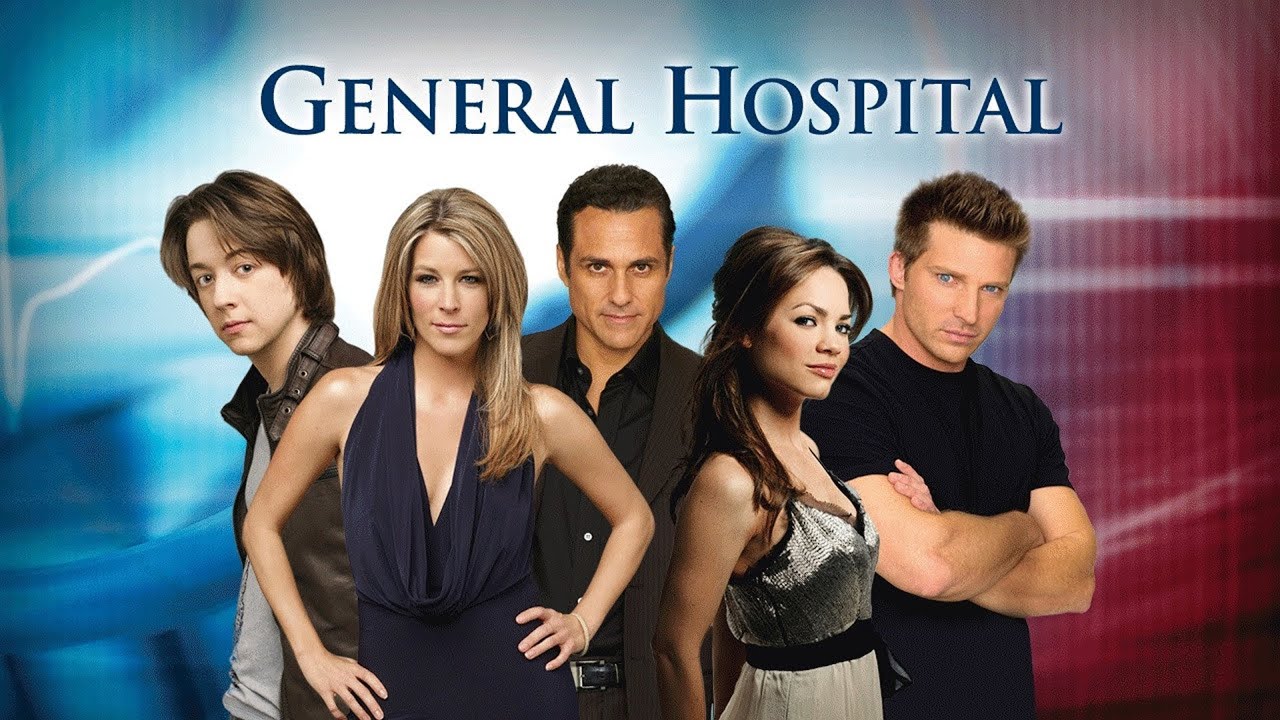
If you’re a long-time resident of Port Charles—spiritually speaking—you know the panic. It’s 2:00 PM or maybe 3:00 PM depending on where you live, and you sit down with your coffee only to realize your DVR didn't trigger. Watching YouTube TV General Hospital episodes should be the easiest part of your day, but sometimes the cloud DVR acts like it’s possessed by the ghost of Helena Cassadine. It’s frustrating.
You’ve got the subscription. You’ve got the internet. Yet, for some reason, today’s showdown at Metro Court is nowhere to be found.
Honestly, YouTube TV is probably the best way to keep up with the Quartermaines and the Corinthos clan without dealing with a clunky cable box. But it isn't perfect. Between local affiliate preemptions and the way the algorithm groups "new" versus "rerun" episodes, things get messy. Let's talk about how to actually master the interface so you never miss a single minute of the drama.
The Secret to Nailing Your YouTube TV General Hospital Recording
Most people just search for the show and hit "Add to Library." That’s the baseline. But here is the thing: YouTube TV treats sports and soaps differently than your standard prime-time sitcom. Because General Hospital has been running since 1963, the metadata—the digital info that tells the computer what the show is—can sometimes get tripped up.
If your local ABC station decides to break away for a "Special Report" about a local thunderstorm or a press conference, the DVR might get confused. It sees the program name changed in the guide, and suddenly, your recording is a 20-minute clip of a weather map instead of Sonny’s latest trial.
To fix this, you need to look at the "Versions" tab. If a recording looks short or messed up, click the "Choose a Version" button under the thumbnail. YouTube TV often records multiple feeds or replaces the glitchy local version with a clean VOD (Video on Demand) version a few hours later. The VOD version usually has unskippable ads, which sucks, but at least you see the ending of the episode.
Why Your Library Looks Like a Mess
Have you noticed how episodes sometimes appear out of order? It’s a common gripe. YouTube TV organizes things by "Season." For a show that’s been on for over sixty years, the season numbers are astronomical. We are talking Season 60, Season 61, and beyond.
If you’re looking for today’s episode and don’t see it in "New for You," don’t panic. Go directly to the show page in your library. Scroll all the way to the right of the season list. Sometimes the "Extras" tab catches episodes that didn't have the right metadata. It’s like a digital junk drawer where the best stuff ends up.
Dealing with Preemptions and News Breaks
News happens. It’s a fact of life. But when the news eats into General Hospital, the fans lose their minds. And rightfully so.
When ABC preempts the show nationally—say for a major political event—the episode is usually pushed to the next day. YouTube TV handles this well; it just waits. But if it’s a local preemption, your DVR is going to record whatever the local station airs.
Here is a pro-tip: If you missed an episode because of local news, check the ABC app or ABC.com. You can actually use your YouTube TV credentials to log into the ABC app. It’s called "TV Everywhere" authentication. Most people forget they have this. You aren't tied to the YouTube TV interface. If the DVR fails you, the network app is your backup generator.
The Port Charles Time Jump
We have to talk about the "Live" vs. "Library" distinction. If you start watching at 2:15 PM and the show started at 2:00 PM, YouTube TV will ask if you want to "Join Live" or "Start from Beginning." Always start from the beginning. Why? Because the scrub bar allows you to fast-forward through the commercials.
But be careful. If the show runs long and you are watching "Live," the recording might cut off. To prevent this, some savvy users also "follow" the program that airs immediately after General Hospital. If you record the 3:00 PM news or whatever talk show follows it, you’ve got a safety net in case the soap ran over by five minutes.
Is the Quality Actually Better on YouTube TV?
Let's get technical for a second. Standard cable often compresses the signal to death. You get those blocky artifacts during fast motion—and there is a lot of "dramatic walking" in Port Charles.
YouTube TV streams at a higher bitrate usually. If you have a 4K TV, even though the show is shot in 1080i or 720p, the upscaling on a high-speed internet connection looks significantly crisper than old-school Comcast or Spectrum.
- Resolution: 1080p (Enhanced) is now rolling out for many ABC affiliates on YouTube TV.
- Frame Rate: You want 60fps. This makes the "Soap Opera Effect" actually work in the show's favor, making movement look fluid and real.
- Device Choice: Using a Roku or Apple TV 4K usually results in a more stable stream than using the built-in app on a "smart" TV.
The Cost Benefit: Is It Worth It for One Show?
Look, $72.99 a month (the current standard price) is a lot if you’re only watching one thing. But you aren't just paying for the show. You’re paying for the freedom to watch it on your phone during your lunch break, on your tablet in bed, or on the big screen.
Compare that to Hulu. Hulu gets the episodes too, but usually with a delay. If you want to be part of the "Soap Twitter" (or X) conversation in real-time, you need a live service. You can't wait until the next day to find out who stayed in the hospital bed and who ended up in the pine box. The spoilers move too fast.
Missing Episodes and "The Glitch"
Occasionally, a "blocked" message appears. This is usually a geo-fencing error. YouTube TV thinks you are traveling. If you see this, go into your settings on your mobile app and "Update Location." It syncs your home area with your device. This happens a lot if you’re watching YouTube TV General Hospital on a commute or at a hotel.
Moving Forward: Your Port Charles Action Plan
If you want the best experience, you need to be proactive. Don't just trust the machine.
- Check your "Scheduled" recordings once a week. Make sure the little checkmark is there next to the show.
- Use the "TV Everywhere" perk. Download the ABC app on your phone and log in with your YouTube TV account today. Don't wait until a recording fails to figure out your password.
- Search "General Hospital" specifically in the search bar rather than just relying on the Home screen. The Home screen is curated by an AI that thinks it knows what you want, but it doesn't know you’ve been loyal to this show for twenty years.
- Check the "Extras" folder if a special episode (like a tribute to a passing actor) doesn't show up in the main season list.
The drama in Port Charles is enough to handle. You shouldn't have to deal with the drama of a malfunctioning DVR. Set your library, verify your location, and keep that backup ABC app ready. That’s how you ensure you never miss a single dramatic gasp or paternity reveal.
To get the most out of your setup, go into your YouTube TV settings now and ensure "Area" is correctly updated to your home zip code. This ensures your local ABC affiliate is the one being recorded, which minimizes the risk of missing the show due to regional broadcasting errors. If you find an episode is missing, immediately check the "Versions" button under the episode thumbnail to see if a VOD copy has been provided as a replacement.