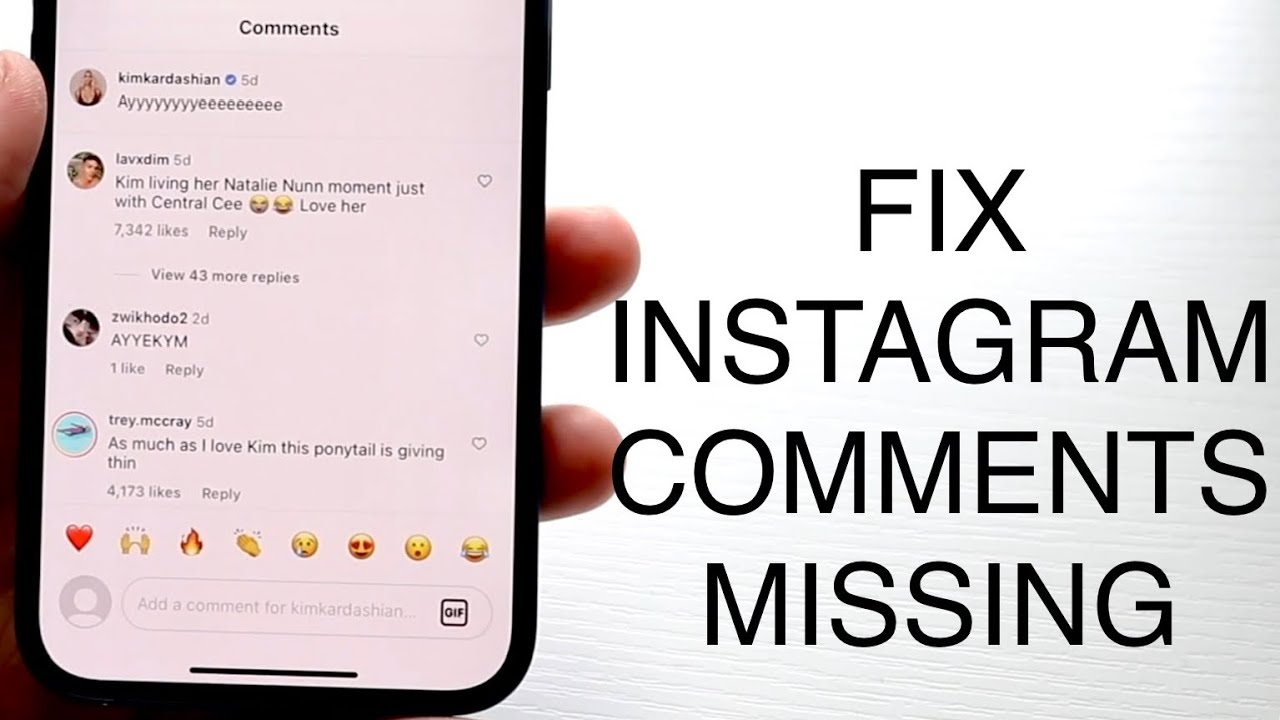
You click a video. You’re ready to see the chaos or the praise in the comment section, but there is just... nothing. A blank screen. A spinning circle. Or maybe that annoying message saying comments are turned off. It’s frustrating. Honestly, it’s one of those glitches that makes you want to toss your phone across the room because YouTube is as much about the community as it is the video. When you find YouTube comments not showing, it usually feels like a personal tech vendetta, but there’s almost always a logical—if slightly hidden—reason for the disappearing act.
Sometimes it’s you. Sometimes it’s the creator. Often, it’s Google’s massive, invisible AI filters doing things you didn't ask them to do.
The Ghost in the Machine: Why Comments Vanish
Most people assume their internet is just acting up. That’s a fair guess, but if the video plays in 4K without a hiccup while the text below stays invisible, your bandwidth isn't the culprit.
YouTube has been aggressively tweaking its "Restricted Mode." This is a big one. If you’re on a school network, a work computer, or even if you just accidentally toggled a setting in your profile, Restricted Mode hides comments entirely to keep the experience "family-friendly." It’s an all-or-nothing switch. You won't see a single word from another human being until that’s clicked off.
Then there’s the cache. Apps get bloated. They store bits of data from every video you’ve ever scrolled past, and eventually, that digital gunk prevents the UI from loading properly. It’s the "did you turn it off and on again" of the software world, but it actually works.
The Creator's Hand
Don't rule out the uploader. Creators have massive power over their domains. They can disable comments globally, or more commonly, YouTube’s automated systems do it for them if the video features minors. This is part of a massive policy shift that started years ago to protect children, and it’s non-negotiable for the creator. If the "Made for Kids" tag is checked, the comment section is a graveyard.
When It’s a Shadowban (The Hard Truth)
You wrote a comment. You can see it. But your friend, looking at the same video, sees nothing. This is the "shadowban" or "comment ghosting."
YouTube uses a system called "Held for Review." If you use certain keywords, post links, or—honestly—if the algorithm just thinks you’re being a jerk, your comment enters a digital purgatory. The creator has to manually approve it. If they don't? It stays invisible to everyone but you. It's a clever way to keep spammers shouting into the void without them realizing they've been muted.
Specific triggers include:
- Dropping timestamps too frequently (looks like bot behavior).
- Using "sub4sub" or begging for follows.
- Excessive use of emojis or caps lock.
- Mentioning controversial topics that the creator has specifically filtered out in their "blocked words" list.
Browser Extensions are Killing Your Experience
We all love ad blockers. They make the modern web bearable. But lately, YouTube has been in an all-out war with them. If your YouTube comments not showing problem is happening on a desktop, your ad blocker is the prime suspect.
Developers for these extensions try to keep up with YouTube's code changes, but they often break the site's layout. Sometimes the script that blocks the "tracking" or "ads" accidentally snags the comment loading script too. Try opening the video in an Incognito or Private window. If the comments reappear, your extensions are the problem. You'll need to whitelist YouTube or find a better extension that doesn't break the CSS.
The "Sorting" Confusion
Wait. Sometimes the comments are there, but they make no sense. You see a reply to a comment that doesn't exist.
YouTube defaults to "Top Comments." This uses a proprietary algorithm—meaning nobody outside of San Bruno truly knows how it works—to rank what you see first. It’s not just about likes. It’s about "engagement velocity." If you want to see everything, you have to manually toggle to "Newest First." Many people think comments are missing when, in reality, they’re just buried under 4,000 other entries because they didn't get enough upvotes in the first ten minutes.
Mobile App Glitches
The mobile app is a different beast. Updates break things. It’s a fact of life. If you haven't updated the YouTube app in three months, don't be surprised when the comment section stays blank. Conversely, sometimes the new update is the one that’s broken.
On iOS and Android, the layout frequently changes. For a while, comments were moved to a collapsible section right under the video description. People spent weeks thinking comments were gone because they were looking at the bottom of the page where they used to be. Check just below the channel name; they might be hiding in a tiny preview box.
VPNs and Regional Locks
Are you using a VPN? Google treats traffic differently depending on where it thinks you are. If your VPN is routing you through a country with strict censorship laws or if the IP address you're sharing with 500 other people has been flagged for bot activity, YouTube might just stop serving you "interactive" content like comments.
It’s a security measure. It feels like a bug, but it's really just a firewall. Switch your VPN server or turn it off entirely to see if the text returns.
Specific Technical Fixes for 2026
If you are staring at a blank space where opinions should be, follow this logic flow. It saves time.
First, check the Restricted Mode in your account settings. It's under the "General" tab on mobile or your profile icon on desktop. If it's on, turn it off. Simple.
Second, the Clear Cache move. On Android, go to Settings > Apps > YouTube > Storage > Clear Cache. Do NOT clear data unless you want to log in again and lose your downloads. On iPhone, you basically have to offload the app or delete and reinstall it because Apple is weird about cache management.
Third, look at the Google Account age. If your account is listed as being under 13 (or 18 in some regions like the EU due to the Digital Services Act), Google might be protecting you by hiding comments. You’ll need to verify your age with an ID or credit card in your Google Account settings if you want the full experience.
The Role of "Experimental Features"
YouTube is constantly A/B testing. You might be part of a "test group" without knowing it. Sometimes they test new layouts where comments are moved, redesigned, or hidden behind a new button.
If your screen looks different than your friend's screen, you’re a guinea pig. There isn't much you can do here except wait for the test to end or try logging out. Often, "unlogged" users see a more stable version of the site than "Premium" or long-term users who are pushed into experimental buckets.
Hidden Bans and "Held for Review"
If you are a creator and your viewers are telling you they can't see their own comments, check your YouTube Studio.
- Go to Comments.
- Look at the Held for Review tab.
- Check your Community Settings.
You might have "Increase Strictness" turned on in your comment filters. This uses a more aggressive AI to hide "potentially inappropriate" comments. While it saves you from trolls, it also catches a lot of innocent people in the crossfire. Dialing it back to "Basic" usually brings the conversation back to life.
Actionable Steps to Bring Comments Back
Stop guessing. If the comments are gone, do this exactly in this order.
- Check the "Made for Kids" status. If the video title has a "YouTube Kids" vibe or the creator tagged it as such, comments are gone forever. Move on.
- Toggle your internet. Switch from Wi-Fi to cellular. If they appear on 5G but not on Wi-Fi, your router or ISP is blocking the comment-loading domain (often
googleapis.comor similar). - Disable the Ad-Blocker. This is the #1 cause for desktop users in 2026. Turn it off, refresh, and see.
- Update the App. Go to the Play Store or App Store. If there's an "Update" button, hit it.
- Check Restricted Mode. Tap your profile picture > Settings > General > Restricted Mode. Make sure it's gray, not blue.
- The Incognito Test. Open the video in a private tab. If comments show up there, the issue is your specific Google account or a browser extension.
Sometimes, the simplest explanation is the right one: YouTube’s servers are just having a bad day. Check a site like Downdetector. If there's a huge spike in reports, it’s not you, it’s them. Just wait an hour, grab a coffee, and try again later. Most of the time, the "fix" is just giving the server a moment to catch up with the millions of people trying to post "First!" at the exact same second.


