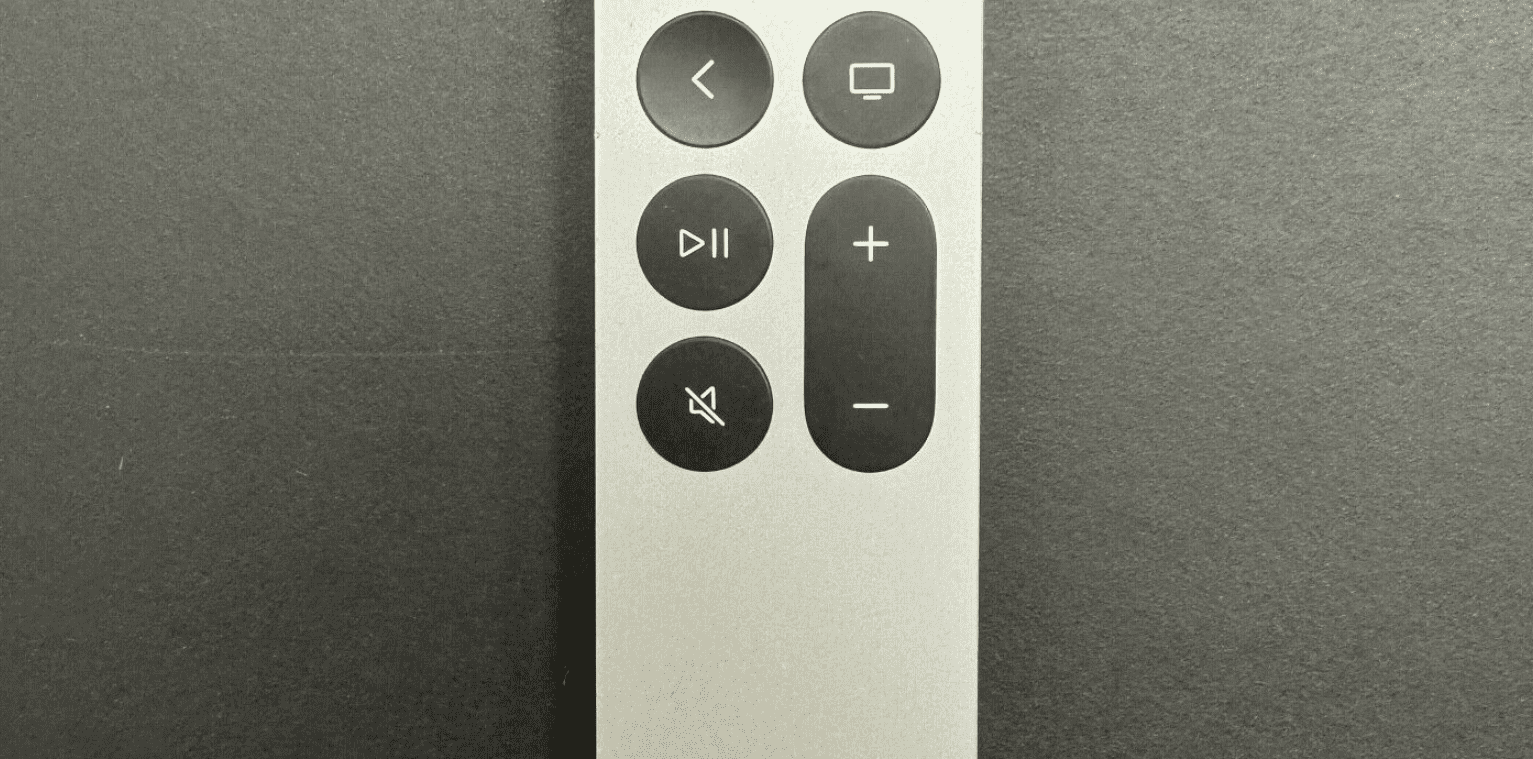
You’ve been there. It’s 10:00 PM. You just want to watch that one show everyone is talking about on Apple TV+, but you can’t find the scrub bar. Or maybe your apple tv box remote control decided to stop pairing for no reason at all. It’s a sleek piece of aluminum, sure, but it can be incredibly frustrating.
Actually, it’s arguably the most controversial piece of hardware Apple makes.
People hated the old black glass Siri Remote. They hated it so much that Apple eventually had to redesign the whole thing, bringing back the clickpad we all missed from the iPod days. But even with the new silver model, things go sideways.
Why the Apple TV Box Remote Control feels so different
Most TV remotes are chunky plastic bricks. They have fifty buttons you never touch. Apple went the other way. They stripped everything down to the bone. You get a touch-sensitive surface, a couple of volume buttons, and a dedicated Siri button on the side.
It feels expensive. It is expensive. If you lose yours, a replacement from the Apple Store will set you back about $59. That is a lot of money for a clicker.
The magic, or the curse, is in the trackpad. You can swipe, but you can also click. Most people don't realize you can actually turn off the touch surface entirely in the settings if it’s driving you crazy. If you find yourself accidentally skipping twenty minutes ahead because your thumb grazed the glass, just go to Settings > Remotes and Devices and change "Click and Touch" to "Click Only." Problem solved. Honestly, it makes the whole experience much more stable.
The hidden tricks you probably missed
Did you know you can fast-forward by just resting your thumb on the outer ring? Don't click. Just rest it there. A little circular icon appears on the screen. Then, you can spin your thumb in a circle like it’s 2005 and you’re using an iPod Mini. It’s the most precise way to find a specific frame in a movie.
Another one: Double-tap the TV button. It brings up the app switcher, just like on an iPhone. You can flick apps upward to close them. Apple says you don't really need to do this for performance, but we all do it anyway when an app starts acting laggy.
Connection issues and the dreaded "Remote Disconnected" pop-up
It happens. You’re mid-binge and the top right corner of your TV screams that the remote is gone. Usually, it’s just a low battery. Since the newer apple tv box remote control uses USB-C (and the slightly older one uses Lightning), you can’t just swap in some AAs. You have to plug it in.
But sometimes, it's a software glitch.
If your remote is being a brat, you can force it to restart. Hold down the TV button and the Volume Down button at the same time for about five seconds. The status light on your Apple TV box will flicker. Let go. Wait a minute. It should re-pair itself. This fixes about 90% of the "my remote is lagging" complaints.
What if you actually lost it?
Apple finally listened to us. If you have the newest Siri Remote (the one with USB-C) and an iPhone running at least iOS 17, you can find your remote using Find My. It’s not a full AirTag-style "Precision Finding" with arrows pointing you to the couch cushions, but it gives you a "getting warmer" circle.
If you have an older remote, you’re basically stuck digging through the sofa. Or, you can do what most of us did years ago and velcro an AirTag to the back of it. It looks ugly. It works perfectly.
The "Apple TV Remote" app on your iPhone is actually better
Seriously. If you’re typing in a long password or searching for a weird movie title, stop using the on-screen keyboard. It’s a nightmare.
Your iPhone automatically puts a remote shortcut in the Control Center. Swipe down from the top right of your phone. Tap the little remote icon. Now you have a giant trackpad and a full QWERTY keyboard.
This is also a lifesaver when the physical apple tv box remote control is charging in the other room. You can even control the volume of your TV using the physical volume buttons on the side of your iPhone while the remote app is open. It feels like magic when it works.
Third-party alternatives: Do they suck?
Sometimes you just want a remote with real buttons.
Companies like Function101 make remotes specifically for Apple TV that look like "normal" remotes. They use infrared (IR). They have a "Menu" button that actually says "Menu." For older users or anyone who finds the Siri Remote too sensitive, these are a godsend.
The downside? You lose the Siri voice search. You lose the trackpad. You lose that premium weight. But you gain a "Mute" button that is easy to find in the dark.
Cleaning and Maintenance
The glass top of the older remotes is a fingerprint magnet. The aluminum of the new one is tougher, but the buttons can still get "gunked" up.
Don't spray Windex on it.
Use a slightly damp, lint-free cloth. If a button feels sticky, a tiny drop of 70% isopropyl alcohol on a Q-tip can help, but don't drench it. These things are packed with sensors.
Troubleshooting the Volume Control
One of the most common tech support questions is why the apple tv box remote control stopped changing the volume on a Sonos bar or a Samsung TV.
This usually comes down to HDMI-CEC. It’s the tech that lets devices talk to each other through the HDMI cable. If it stops working, check your TV settings first. Make sure "Anynet+" (Samsung), "Bravia Sync" (Sony), or "SimpLink" (LG) is turned on.
If that’s fine, go back into the Apple TV settings. Under "Volume Control," you can actually "Learn New Device." You point your old TV remote at the Apple TV, and it learns the IR codes. It’s a very clever way to bridge the gap between old hardware and new.
Moving Forward with Your Setup
If you’re still struggling with your remote, the best move is a quick reset of the connection.
- Check your charge level in Settings > Remotes and Devices > Remote. If it's under 20%, plug it in.
- Update your tvOS. Apple often sneaks remote firmware updates into the general system updates.
- If the touch surface is too jumpy, change the "Touch Surface Tracking" to "Slow." It makes a world of difference for people who find the default setting too twitchy.
The apple tv box remote control is a specialized tool. Like any tool, it has a learning curve. Once you stop fighting the trackpad and start using the gestures—like the long-press on the center button to bring up options—it becomes much faster than any clunky plastic remote you've used before.
Keep it charged, know the restart shortcut (TV + Volume Down), and don't be afraid to use your iPhone as a backup. That’s the most seamless way to handle the Apple ecosystem without losing your mind during a Friday night movie marathon.


